Church sound teams
A stage-dark display you can read from the booth, and a walk-the-room check when the back rows can’t hear.

A sound toolkit for the people who run the room.
Live analyzer, sound level meter, and room check for church sound teams, small venues, and home offices. For iPad and iPhone.
Why HallTune
HallTune answers both. Prop an iPad on a stand during the service, walk the room when something sounds off, or clap a few times in your home office and get plain advice. No lab gear, no jargon you didn’t ask for.
A stage-dark display you can read from the booth, and a walk-the-room check when the back rows can’t hear.
Clubs, halls, and school auditoriums. Spot ringing before it howls and see how the room really covers.
A five-step check anyone can follow, a score out of 100, and simple things to try. Then test again.
Mode one
Free, forever
The analyzer and meter that stay on the stand all service. Big numbers, high contrast, nothing in the way.
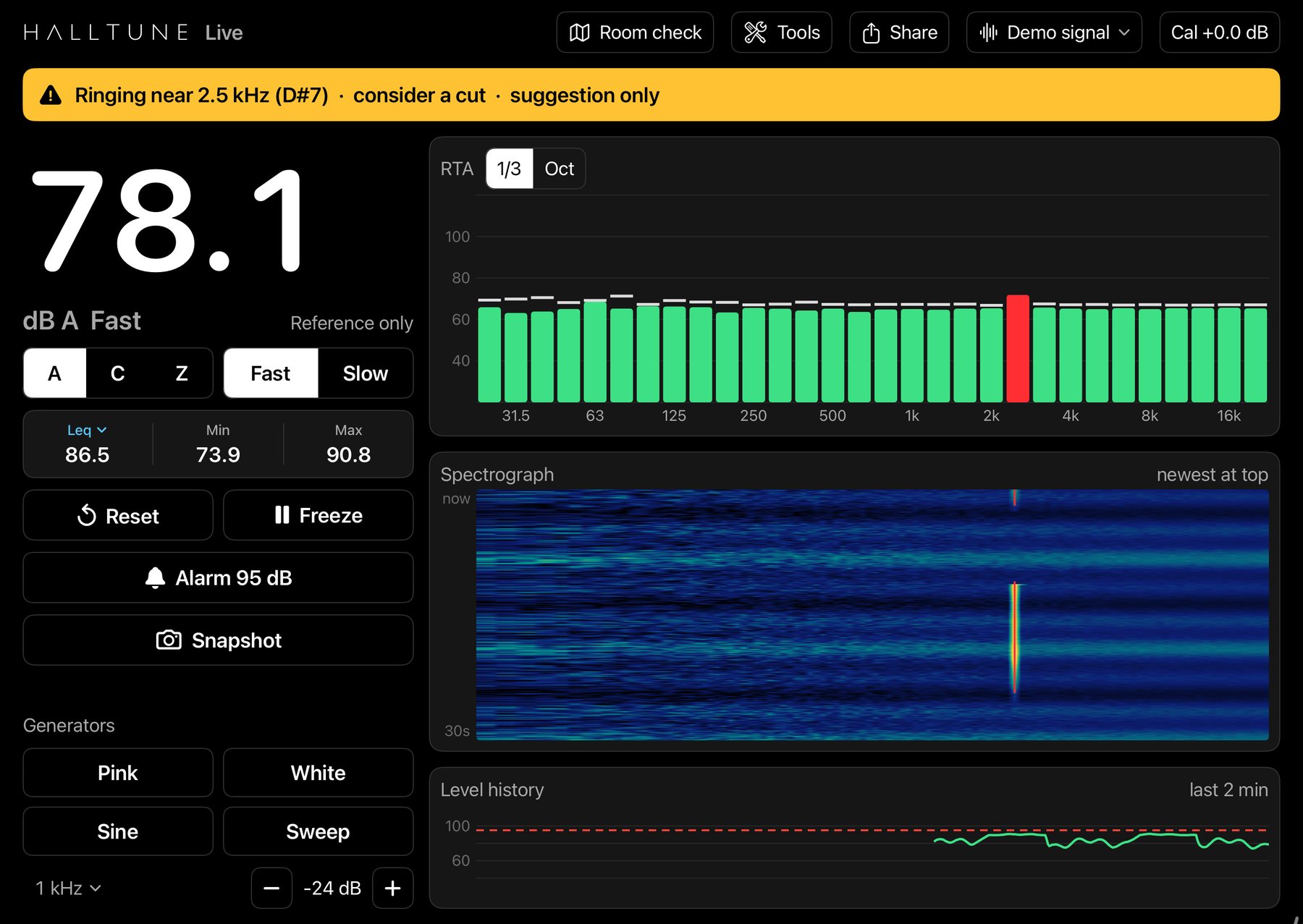
A, C, and Z weighting. Fast and Slow. Leq over 1, 10, or 15 minutes, with min and max.
Switch to whole octaves, hold the peaks, or freeze the picture to talk it over.
The last two minutes at a glance, with a line at your limit. Set it to 95 dB and the screen tells you when you cross it.
Use the built-in mic for a ballpark, or plug in a USB measurement mic or audio interface and set its calibration offset.
HallTune watches for a narrow tone that keeps growing. It names the frequency and the nearest note, and suggests a cut. Suggestion only: it never touches your mixer.
Modes two and three
Two guided checks: a full walk for the hall, and a five-minute one for the room you work in. Both end in plain findings you can act on.
Map the room, walk it, and see where the sound goes.
Scan it with LiDAR on a Pro iPhone or iPad in about a minute, or type in its size and tap where the stage is.
Pink noise through the PA for the frequency picture. A clap for how long the room rings.
Tap Capture at each seat area. On a scanned room, AR tracking pins every capture to where you stood.
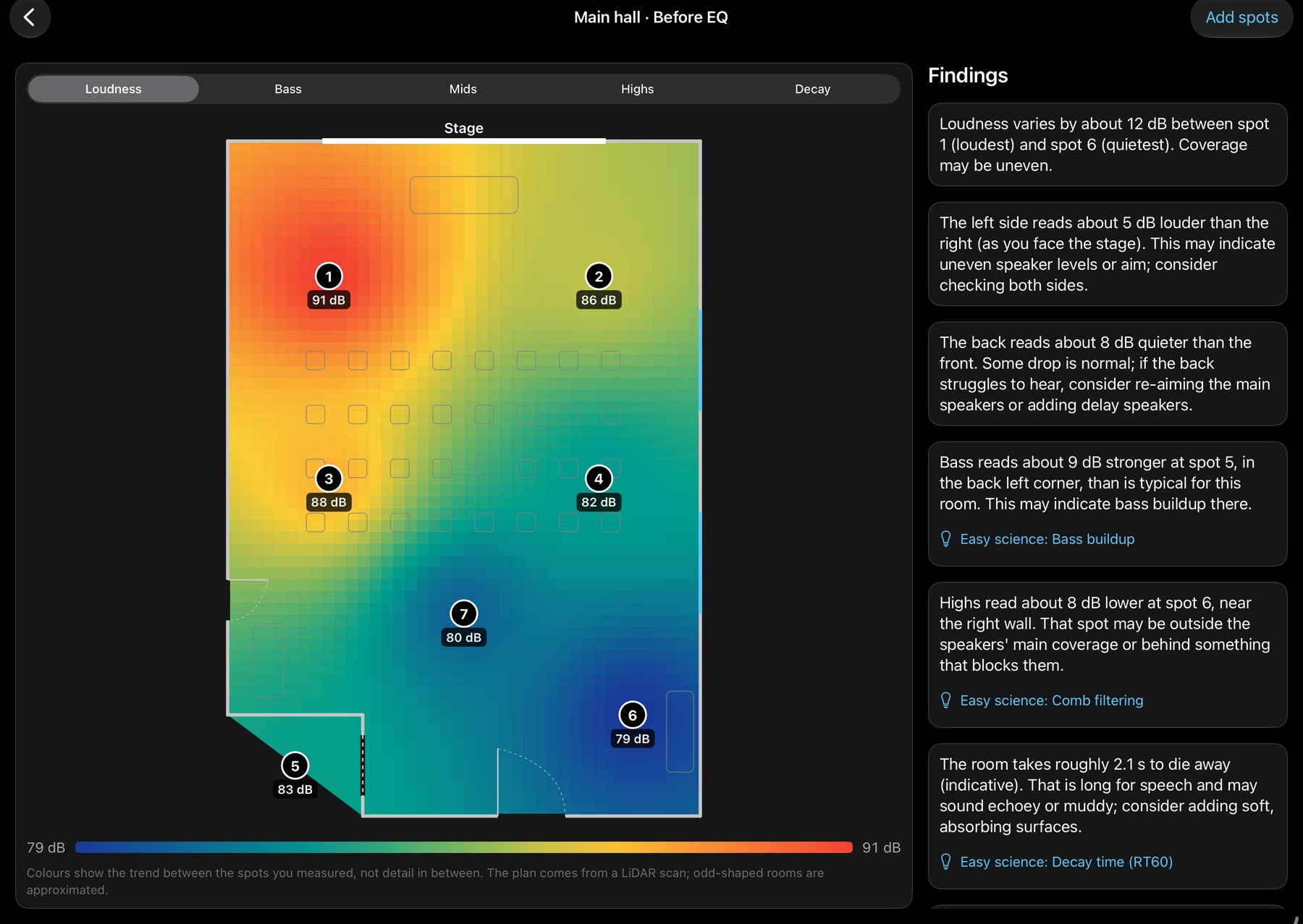
Loudness, bass, mids, highs, and decay over the floor plan, with findings in plain words.
A sample hall with made-up readings. Try each layer.
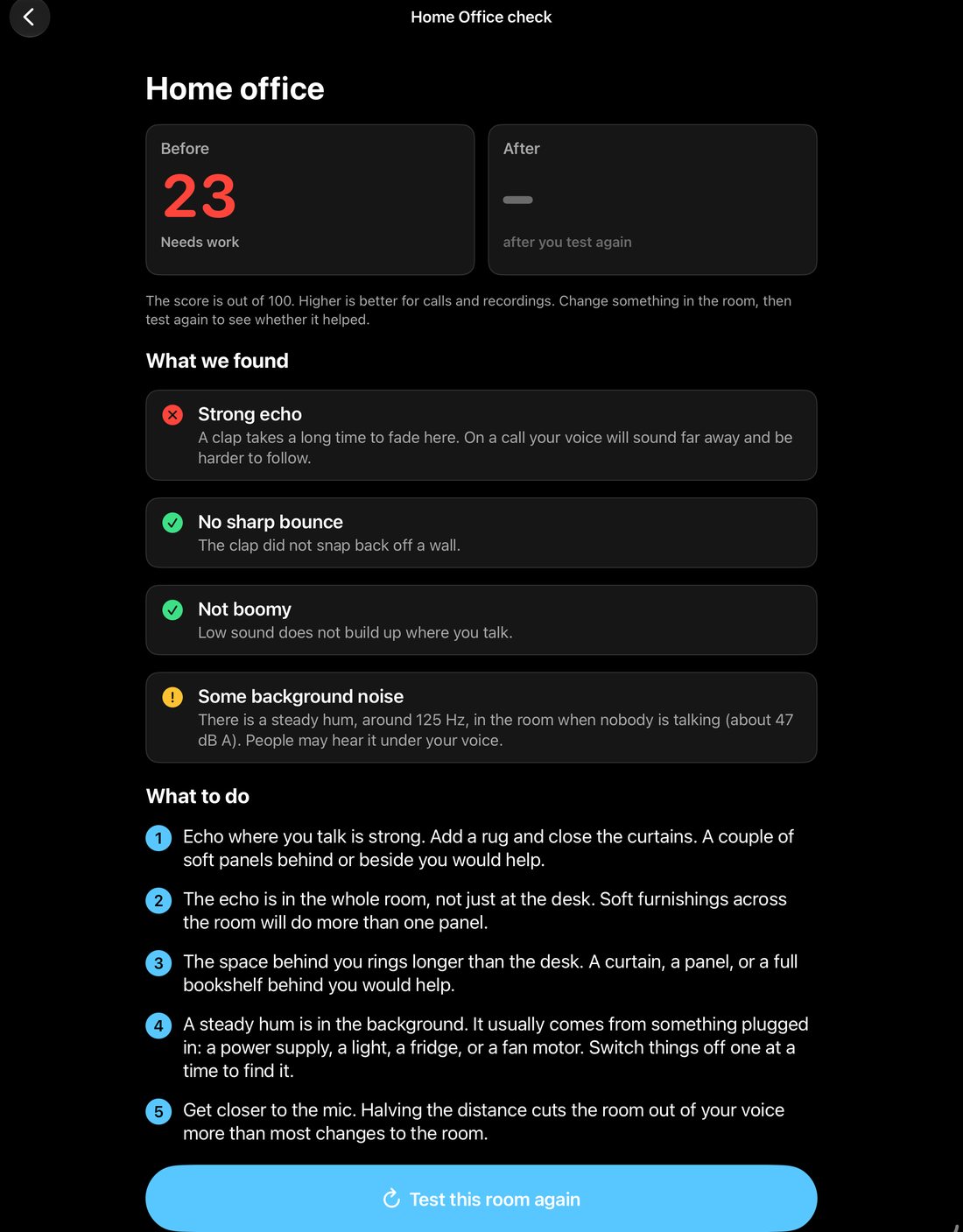
Five steps, written so anyone can follow them. Leave the phone on the desk and clap.
Close the door, set things the way they are when you’re on a call.
HallTune listens for background noise: a fan, a fridge, a hum from a power supply.
One sharp clap where you talk. HallTune hears how long it takes to fade, and any bounce off a wall.
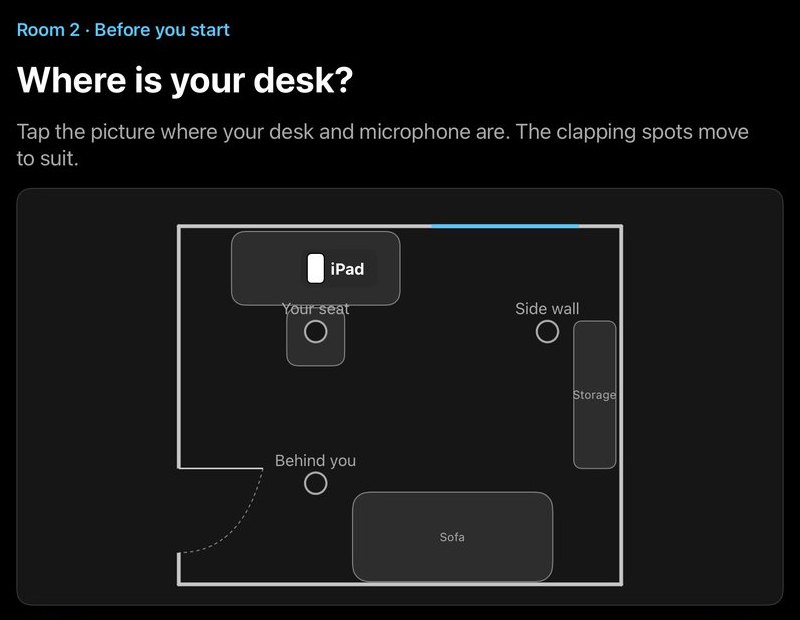
Beside you and behind you, if you like. It shows whether the echo is at the desk or the whole room.
A score out of 100, what we found, and simple fixes: a rug, curtains, a bookshelf, moving closer to the mic.
Before
0 Needs workAfter a rug and curtains
0 Good for callsExample scores. Change something, test again, and see whether it helped.
Scan the room with LiDAR, or type in its two sides, then tap where your desk is. The clapping spots move to suit. The advice names your own walls, like “the wall behind you”, and traces a sharp bounce to the wall that fits its timing.
Rooms are saved by name, with every test you take in them, so you can compare rooms and see before and after.
And the rest of the kit
The bits you reach for during a sound check, in one place.
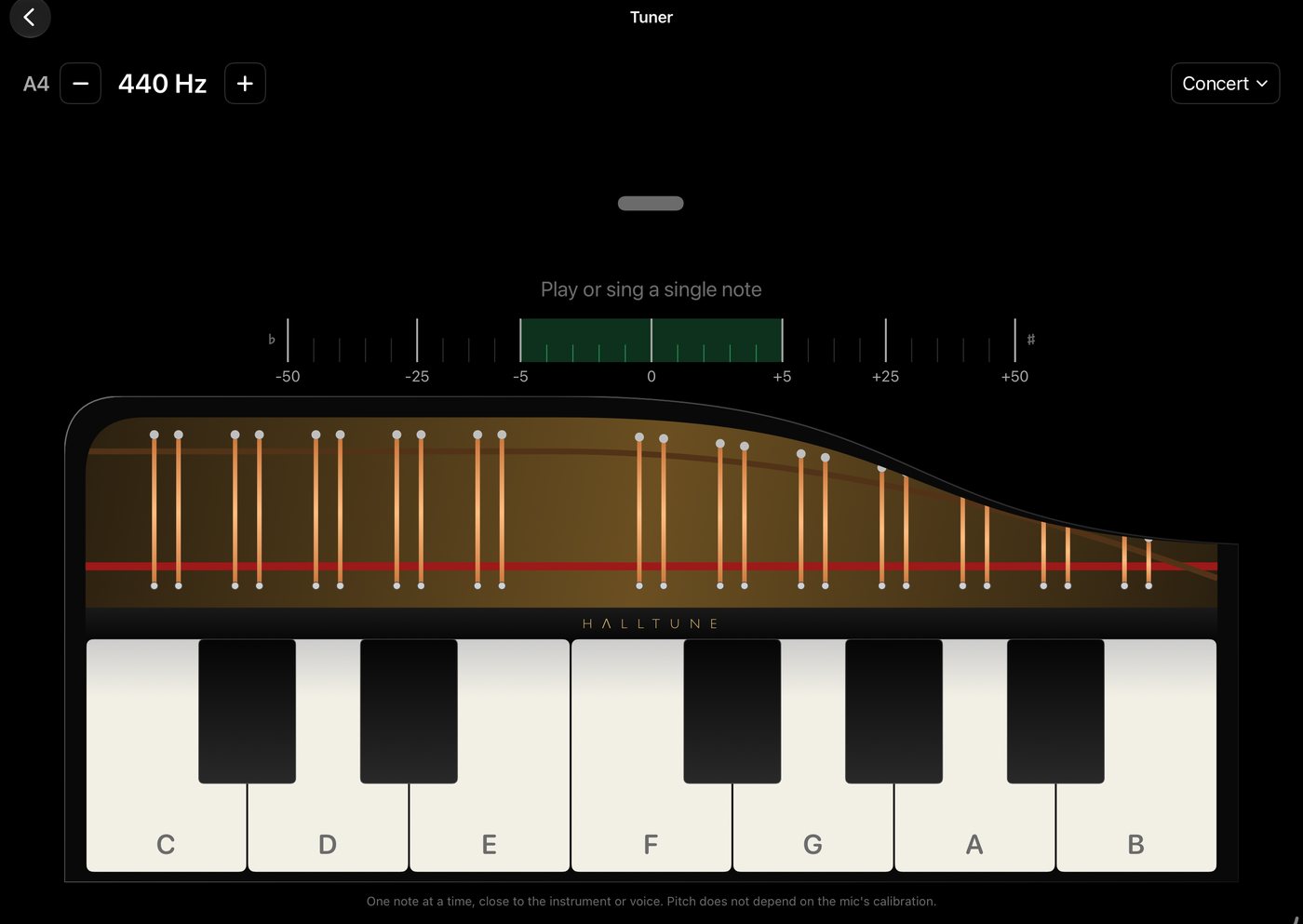
Live pitch for one instrument or voice, on a piano keyboard, with an adjustable reference.
Pink noise, white noise, sine tones, and sweeps, at a level you set.
Delay and distance, dB math, room modes, and speaker power and impedance.
Plays a few clicks through one speaker and reads whether it’s wired the right way round.
A photo of the room with the level and analyzer drawn on it, kept on your device.
A one-page PDF of what the Live screen shows, through the share panel.
Straight talk
Every reading in HallTune is labelled reference only, and the room advice is a starting point, not a professional acoustic assessment.
One price, once
No subscription. No trial clock. No nag screens. The unlock is only offered when you tap something locked.
$0 forever
$9.99 one time
One purchase for iPad and iPhone. Restore Purchases and Family Sharing included.
Sound is analyzed on the iPad or iPhone in your hand. No account, no servers, no analytics, nothing sent anywhere. Your rooms, scans, and snapshots stay with you.